Best In-App Generative AI Tools for Digital Media in 2026 (Tested & Reviewed)
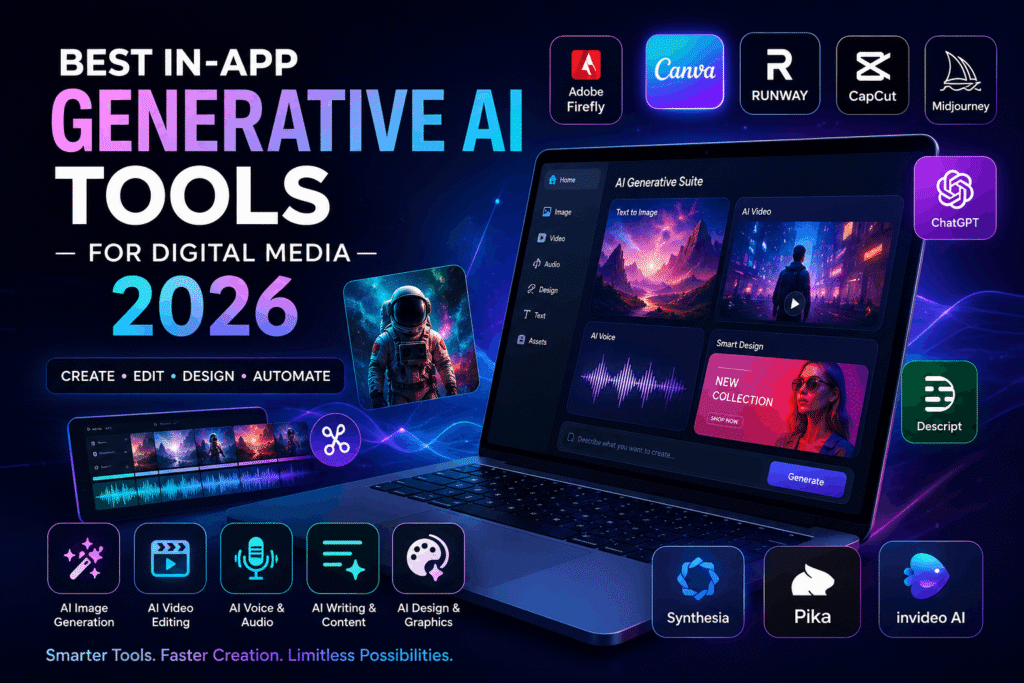
The digital media industry is evolving faster than ever, and artificial intelligence is now at the center of content creation. From AI-generated graphics and automated video editing to voice synthesis and social media content creation, in-app generative AI tools are transforming how creators work in 2026.
Whether you are a graphic designer, video editor, YouTuber, marketer, filmmaker, social media manager, or content creator, the right AI-powered application can dramatically improve your productivity, creativity, and workflow efficiency.
In this guide, we tested and reviewed the best in-app generative AI tools for digital media in 2026 based on performance, usability, pricing, features, AI quality, export capabilities, and creator experience.
If you are searching for the best AI apps for digital media creation, this article will help you choose the perfect tool for your needs.
What Are In-App Generative AI Tools?
In-app generative AI tools are software applications that use artificial intelligence to generate digital content directly inside the application interface. These tools can create:
- Images
- Videos
- Audio
- Voiceovers
- Text content
- Animations
- Social media posts
- Graphic designs
- Marketing creatives
Unlike traditional editing software, generative AI apps automate creative processes using machine learning models and natural language prompts.
For example, instead of manually designing a social media graphic, users can simply type:
“Create a modern Instagram post for a luxury fashion brand.”
The AI instantly generates a professional-quality design.
These AI-powered apps are becoming essential for digital media creators in 2026.
Why Digital Media Creators Need AI Tools in 2026
The demand for high-quality digital content has exploded across platforms like YouTube, TikTok, Instagram, Facebook, LinkedIn, and Pinterest.
Creators now need to produce:
- Short-form videos
- Reels
- AI-generated graphics
- Podcast clips
- Marketing visuals
- Motion graphics
- Product ads
- AI voiceovers
Creating all this content manually takes time and money.
Generative AI tools help creators:
- Save editing time
- Automate repetitive tasks
- Improve content quality
- Generate ideas faster
- Scale content production
- Reduce production costs
- Increase creative possibilities
In 2026, businesses and creators using AI tools have a major competitive advantage over traditional workflows.
How We Tested These AI Tools
We evaluated each generative AI tool based on:
| Evaluation Criteria | What We Tested |
|---|---|
| AI Output Quality | Accuracy, realism, creativity |
| Ease of Use | Beginner-friendly workflow |
| Speed | Rendering and generation speed |
| Features | AI image, video, text, audio tools |
| Export Quality | HD/4K support |
| Pricing | Free vs premium value |
| Collaboration | Team and workflow tools |
| Platform Support | Web, desktop, mobile apps |
We also tested real-world creator workflows including:
- Social media content creation
- YouTube video editing
- AI-generated advertising
- Graphic design
- Product marketing
- Short-form video production
Best In-App Generative AI Tools for Digital Media in 2026
1. Adobe Firefly
Best For:
Professional designers and creative agencies
Adobe Firefly remains one of the best generative AI tools for digital media creators in 2026. Integrated deeply with Photoshop, Illustrator, and Premiere Pro, Firefly allows users to generate professional-quality assets directly inside Adobe applications.
Key Features
- AI image generation
- Generative fill
- AI text effects
- AI background replacement
- AI video editing
- Commercial-safe AI content
- Photoshop AI integration
Pros
- Professional-quality outputs
- Excellent design workflow
- High-quality image generation
- Strong brand trust
- Seamless Adobe integration
Cons
- Expensive for beginners
- Requires Adobe subscription
Best Use Cases
- Marketing design
- Branding
- Social media graphics
- Product advertisements
- Professional photo editing
2. Canva AI
Best For:
Social media creators and beginners
Canva AI has become one of the most popular AI-powered design tools in the world. Its beginner-friendly interface makes it perfect for content creators who want professional results without complex software.
Key Features
- Magic Design
- AI image generation
- AI presentations
- Text-to-image
- AI copywriting
- Social media templates
- AI video editing
Pros
- Easy to use
- Massive template library
- Great for social media
- Affordable pricing
- Excellent collaboration tools
Cons
- Limited advanced editing
- Less powerful than Adobe tools
Best Use Cases
- Instagram posts
- Facebook ads
- Reels thumbnails
- Pinterest pins
- Quick marketing creatives
3. Runway ML
Best For:
AI video creators and filmmakers
Runway ML is one of the most advanced AI video generation tools available in 2026. It allows creators to generate cinematic videos, edit footage using AI, and create motion graphics with text prompts.
Key Features
- Text-to-video AI
- AI video editing
- Motion tracking
- Background removal
- AI animation
- AI cinematic effects
Pros
- Incredible video AI technology
- Fast rendering
- Great for filmmakers
- Advanced creative control
Cons
- Learning curve for beginners
- Premium plans can be costly
Best Use Cases
- YouTube videos
- AI filmmaking
- Commercial advertisements
- Creative motion graphics
- Short-form content
4. CapCut AI
Best For:
TikTok and short-form video creators
CapCut AI is dominating short-form video editing in 2026. The app provides powerful AI-powered editing features optimized for viral social media content.
Key Features
- AI subtitles
- AI avatars
- Auto-cut editing
- AI voiceovers
- AI effects
- AI script generation
Pros
- Mobile-friendly
- Fast editing workflow
- Excellent for reels
- Free features available
- Great AI automation
Cons
- Limited professional controls
- Watermark on some exports
Best Use Cases
- TikTok videos
- Instagram reels
- YouTube Shorts
- Social media ads
5. Descript
Best For:
Podcast creators and audio editors
Descript revolutionized audio and video editing using AI-powered transcription and editing tools.
Key Features
- AI transcription
- AI voice cloning
- Audio editing
- Video editing
- Screen recording
- AI overdub
Pros
- Incredible podcast workflow
- Easy editing system
- AI voice generation
- Fast content repurposing
Cons
- Limited graphic design features
- Advanced features require paid plans
Best Use Cases
- Podcasts
- Interviews
- Educational videos
- Audio editing
- Content repurposing
6. Midjourney
Best For:
AI-generated artwork and creative visuals
Midjourney remains one of the most powerful AI image generation platforms in 2026.
Key Features
- AI artwork generation
- Hyper-realistic images
- Creative illustration
- Concept art
- Fantasy design
- Product visualization
Pros
- Stunning visual quality
- Highly creative outputs
- Excellent artistic styles
Cons
- Discord-based workflow
- Less beginner-friendly
Best Use Cases
- Concept art
- Creative campaigns
- Branding visuals
- AI illustration
- Product marketing
7. ChatGPT
Best For:
AI writing and content strategy
ChatGPT is no longer just a chatbot in 2026. It has evolved into a complete AI productivity assistant for digital creators.
Key Features
- AI writing
- Script generation
- Content ideas
- SEO optimization
- AI research
- Marketing copywriting
Pros
- Extremely versatile
- Excellent content generation
- Great brainstorming tool
- Improves productivity
Cons
- Requires human editing
- Can generate generic content
Best Use Cases
- Blog writing
- YouTube scripts
- Marketing copy
- SEO content
- Social media captions
8. Synthesia
Best For:
AI avatar videos and business presentations
Synthesia helps businesses create AI-generated presenter videos without cameras or studios.
Key Features
- AI avatars
- AI voiceovers
- Video translation
- Business presentation tools
- Multilingual support
Pros
- Professional business videos
- Fast production
- No filming required
Cons
- Less cinematic flexibility
- Premium pricing
Best Use Cases
- Corporate training
- Educational videos
- AI presenters
- Product explainers
9. Pika Labs
Best For:
AI animation and creative video generation
Pika Labs is one of the fastest-growing AI video generation platforms in 2026.
Key Features
- Text-to-video
- AI animations
- Visual effects
- AI scene generation
Pros
- Creative flexibility
- Impressive visual quality
- Fast AI rendering
Cons
- Experimental workflow
- Limited export customization
Best Use Cases
- Creative storytelling
- AI short films
- Social media visuals
10. InVideo AI
Best For:
Automated video creation
InVideo AI allows users to generate complete videos using simple prompts.
Key Features
- AI script-to-video
- Voiceovers
- Templates
- AI stock footage
- Automated editing
Pros
- Beginner-friendly
- Fast video generation
- Great for marketers
Cons
- Less manual control
- Generic styles sometimes
Best Use Cases
- Marketing videos
- Product ads
- Explainer videos
- YouTube automation
Comparison Table: Best AI Tools for Digital Media in 2026
| Tool | Best For | Free Plan | AI Features | Platform |
|---|---|---|---|---|
| Adobe Firefly | Professional design | Limited | AI graphics & editing | Web/Desktop |
| Canva AI | Social media design | Yes | AI templates & graphics | Web/App |
| Runway ML | AI video creation | Limited | Text-to-video | Web |
| CapCut AI | Reels & Shorts | Yes | AI editing | Mobile/Desktop |
| Descript | Podcast editing | Limited | AI transcription | Desktop/Web |
| Midjourney | AI artwork | No | AI image generation | Discord/Web |
| ChatGPT | AI writing | Yes | AI content creation | Web/App |
| Synthesia | AI avatar videos | Trial | AI presenters | Web |
| Pika Labs | AI animations | Limited | AI video generation | Web |
| InVideo AI | Automated videos | Yes | AI video creator | Web |
Best AI Tool for Beginners
If you are new to generative AI, Canva AI is the best starting point.
Why?
- Easy drag-and-drop interface
- Ready-made templates
- AI-powered automation
- Affordable pricing
- Beginner-friendly workflow
Canva AI is perfect for social media managers, freelancers, small businesses, and content creators.
Best AI Tool for Video Creators
Runway ML is currently the most powerful AI video platform for professional creators.
Its cinematic AI tools, motion editing, and text-to-video capabilities make it ideal for:
- YouTubers
- Filmmakers
- Commercial creators
- Video marketers
Best AI Tool for Social Media Content
CapCut AI remains the king of short-form video editing in 2026.
Its AI-powered workflow is optimized for:
- TikTok
- Instagram Reels
- YouTube Shorts
- Viral content creation
Free vs Paid AI Media Tools
Free AI Tools
Advantages:
- Great for beginners
- Lower cost
- Easy testing
Disadvantages:
- Limited exports
- Watermarks
- Reduced AI credits
Paid AI Tools
Advantages:
- Better quality outputs
- Advanced AI features
- Faster rendering
- Commercial usage rights
Disadvantages:
- Subscription costs
For professional creators, premium AI tools are usually worth the investment.
How to Choose the Right AI Tool
Before choosing an AI tool, ask yourself:
What type of content do you create?
- Videos → Runway ML or CapCut AI
- Graphics → Adobe Firefly or Canva AI
- AI writing → ChatGPT
- AI presenters → Synthesia
What is your budget?
Free tools are ideal for beginners, while professionals may need premium subscriptions.
Do you need team collaboration?
Canva AI and Adobe Creative Cloud provide excellent collaboration features.
Are you a beginner or advanced creator?
Beginners should prioritize simplicity, while professionals may need advanced controls.
Future of AI in Digital Media
The future of digital media is deeply connected with generative AI.
In the coming years, AI tools will become capable of:
- Real-time video generation
- AI filmmaking
- Automated advertising campaigns
- Personalized AI content
- AI influencers
- Fully AI-generated media production
Creators who learn AI workflows early will gain a major competitive advantage.
Frequently Asked Questions
What is the best in-app generative AI tool in 2026?
Adobe Firefly is one of the best overall AI tools for professional digital media creation in 2026.
Which AI tool is best for video editing?
Runway ML and CapCut AI are currently among the best AI-powered video editing platforms.
Are generative AI tools free?
Many AI tools offer free plans, but premium subscriptions unlock advanced features and better export quality.
Which AI app is best for beginners?
Canva AI is the best beginner-friendly generative AI tool for creators.
Can AI replace digital media creators?
AI can automate workflows, but human creativity, storytelling, branding, and strategy remain essential.
Final Verdict
Generative AI tools are transforming digital media creation in 2026. Whether you are designing social media graphics, editing videos, generating AI artwork, or automating marketing content, the right AI platform can dramatically improve your workflow and productivity.
Here’s the quick recommendation:
- Best Overall: Adobe Firefly
- Best for Beginners: Canva AI
- Best for Video Creators: Runway ML
- Best for Social Media: CapCut AI
- Best for AI Writing: ChatGPT
- Best for AI Artwork: Midjourney
As AI technology continues to evolve, creators who embrace AI-powered workflows will stay ahead in the digital media industry.
If you want to succeed in content creation, marketing, branding, or media production in 2026, learning how to use generative AI tools is no longer optional — it is essential.