
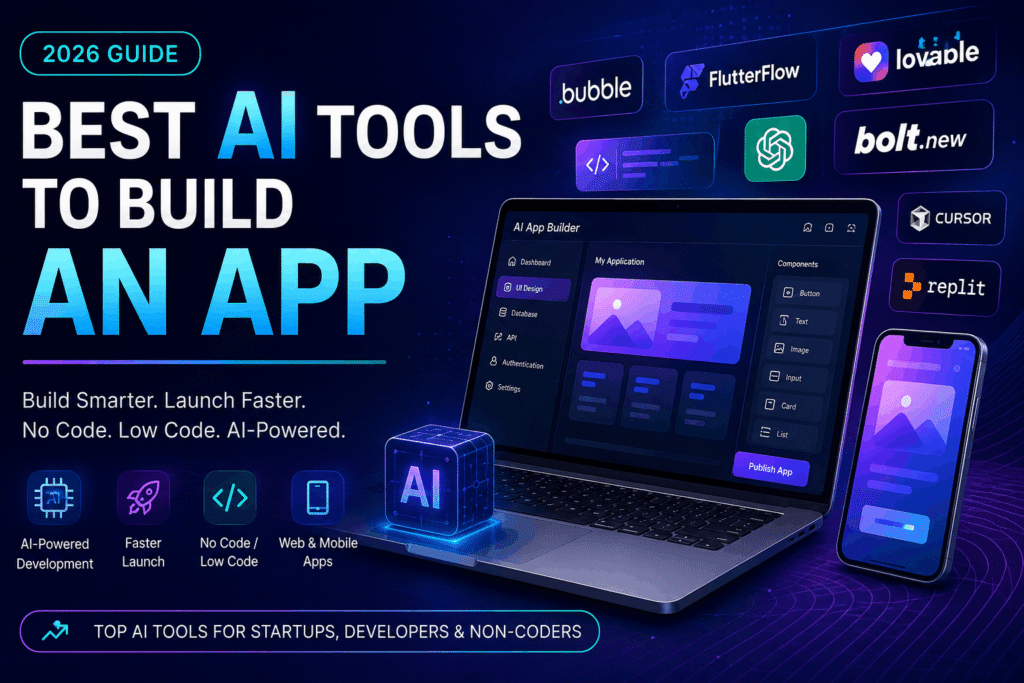
Best AI Tools to Build an App in 2026 (Tested for Startups & Developers)
Building an app used to require a full development team, months of coding, and a massive budget. But in 2026, artificial intelligence is changing the way apps are created. Today, startups, entrepreneurs, agencies, and even non-technical founders can build powerful applications faster using AI-powered tools.
Whether you want to create a mobile app, SaaS platform, internal business software, or MVP for your startup, AI tools can now help with everything from UI design and coding to backend automation and deployment.
In this guide, we tested and researched the best AI tools to build an app based on speed, usability, features, scalability, and overall value. Some tools are ideal for beginners with no coding experience, while others are perfect for professional developers looking to accelerate app development.
If you’re searching for the best AI tools to build an app, this article will help you choose the right platform for your needs.
Why AI Is Transforming App Development
Traditional app development can be expensive and time-consuming. Developers often spend weeks writing repetitive code, fixing bugs, designing interfaces, and setting up servers.
AI tools are solving these problems by:
- Generating code automatically
- Creating UI layouts
- Building app structures
- Automating testing
- Assisting with debugging
- Speeding up deployment
- Helping non-coders create applications
As a result, businesses can now launch products faster and reduce development costs significantly.
For startups and entrepreneurs, this creates a huge opportunity. Instead of spending months building an MVP, AI-powered platforms can help launch products in days or weeks.
What Are AI App Development Tools?
AI app development tools are software platforms that use artificial intelligence to assist with app creation. These tools can generate code, automate workflows, create interfaces, manage databases, and even deploy applications.
There are several categories of AI app development tools:
1. AI Coding Assistants
These tools help developers write code faster and more accurately.
Examples:
2. No-Code AI App Builders
These platforms allow users to build apps visually without writing code.
Examples:
3. Full-Stack AI Builders
These tools generate both frontend and backend systems using prompts.
Examples:
4. Backend & Deployment Platforms
These help developers manage databases, authentication, APIs, and hosting.
Examples:
How We Selected the Best AI Tools
To identify the best AI tools to build an app, we evaluated platforms based on the following factors:
- Ease of use
- AI capabilities
- Speed of development
- Pricing
- Scalability
- Design flexibility
- Backend support
- Mobile responsiveness
- Collaboration features
- Integration options
We also considered whether the tools are suitable for:
- Startups
- Freelancers
- Agencies
- SaaS founders
- Developers
- Non-technical users
15 Best AI Tools to Build an App in 2026
1. Bubble
Bubble is one of the most popular no-code platforms for building web applications. It allows users to create fully functional apps using a visual editor instead of traditional coding.
Best For
- Startups
- SaaS MVPs
- Non-technical founders
Key Features
- Drag-and-drop builder
- Database management
- Workflow automation
- Plugin ecosystem
- AI integrations
Pros
- No coding required
- Fast MVP development
- Large community support
Cons
- Learning curve for advanced workflows
- Limited native mobile capabilities
Pricing
Free plan available with paid upgrades.
Why We Recommend It
Bubble is ideal for entrepreneurs who want to validate app ideas quickly without hiring a large development team.
2. FlutterFlow
FlutterFlow is a powerful platform for creating mobile applications visually using Flutter technology.
Best For
- Mobile app development
- Cross-platform apps
- Startups
Key Features
- Visual UI builder
- AI code generation
- Firebase integration
- Exportable Flutter code
Pros
- Beautiful UI creation
- Native mobile performance
- Faster development cycle
Cons
- Some advanced features require coding knowledge
Pricing
Offers both free and premium plans.
Why We Recommend It
FlutterFlow is excellent for building professional-looking mobile apps quickly.
3. Lovable
Lovable is becoming one of the fastest-growing AI app-building platforms. Users can describe an app idea in plain English, and the platform generates interfaces and code automatically.
Best For
- Rapid prototyping
- AI-powered web apps
- Beginners
Key Features
- Prompt-based app generation
- Frontend creation
- Instant previews
- Fast iteration
Pros
- Extremely beginner-friendly
- Very fast app creation
- Modern UI generation
Cons
- Less control for advanced developers
Why We Recommend It
Lovable dramatically reduces the time needed to launch prototypes and MVPs.
4. Bolt.new
Bolt.new enables developers to generate full-stack applications directly from prompts.
Best For
- Full-stack development
- SaaS products
- Fast MVP launches
Key Features
- AI-generated frontend and backend
- Live previews
- Real-time coding
- Prompt-based development
Pros
- Very fast workflow
- Great developer experience
- Modern technology stack
Cons
- Still evolving as a platform
Why We Recommend It
Bolt.new is ideal for developers who want rapid AI-assisted app generation.
5. Cursor
Cursor is an AI-powered code editor designed for developers who want intelligent coding assistance.
Best For
- Professional developers
- AI coding workflows
- Productivity improvement
Key Features
- AI code generation
- Context-aware suggestions
- Bug fixing assistance
- Code explanation
Pros
- Excellent developer productivity
- Works with existing projects
- Strong AI understanding
Cons
- Requires coding knowledge
Why We Recommend It
Cursor is one of the best AI coding assistants available today.
6. GitHub
GitHub Copilot uses AI to help developers write code faster.
Best For
- Developers
- Teams
- Software agencies
Key Features
- AI autocomplete
- Function generation
- Multi-language support
- IDE integrations
Pros
- Saves development time
- Improves coding speed
- Great IDE compatibility
Cons
- Can occasionally generate incorrect code
Why We Recommend It
GitHub Copilot is a must-have tool for modern developers.
7. Replit
Replit combines cloud development with AI assistance.
Best For
- Beginners
- Collaborative coding
- Rapid testing
Key Features
- Browser-based development
- AI coding assistant
- Instant deployment
- Multiplayer collaboration
Pros
- Easy to use
- Great for learning
- Fast project setup
Cons
- Limited advanced scalability
Why We Recommend It
Replit makes app development accessible to everyone.
8. Firebase
Firebase is a backend platform by Google that simplifies authentication, databases, and hosting.
Best For
- Mobile apps
- Realtime applications
- Startups
Key Features
- Authentication
- Realtime database
- Cloud functions
- Analytics
Pros
- Scalable infrastructure
- Easy integrations
- Excellent documentation
Cons
- Vendor lock-in concerns
Why We Recommend It
Firebase helps developers launch scalable apps quickly.
9. Supabase
Supabase is an open-source alternative to Firebase.
Best For
- SaaS applications
- Developers
- Scalable projects
Key Features
- PostgreSQL database
- Authentication
- APIs
- Storage
Pros
- Open-source flexibility
- Powerful backend tools
- Strong developer experience
Cons
- Requires some technical understanding
Why We Recommend It
Supabase is ideal for developers who want greater backend control.
10. Vercel
Vercel simplifies frontend deployment and hosting.
Best For
- React applications
- Next.js apps
- Fast deployment
Key Features
- Instant deployment
- Global CDN
- Analytics
- Serverless functions
Pros
- Excellent performance
- Developer-friendly workflow
- Easy integrations
Cons
- Advanced usage can become costly
Why We Recommend It
Vercel is one of the best hosting platforms for modern web apps.
11. OpenAI API
OpenAI APIs allow developers to integrate advanced AI features directly into apps.
Best For
- AI-powered applications
- Chatbots
- Automation tools
Key Features
- Natural language processing
- AI chat systems
- Image generation
- Automation
Why We Recommend It
If your app needs AI features, OpenAI APIs are among the best available.
12. Adalo
Adalo is designed for creating mobile apps without coding.
Best For
- Beginners
- Internal business apps
- MVPs
Pros
- Easy drag-and-drop interface
- Fast mobile app creation
Cons
- Limited scalability
13. Glide
Glide allows users to create apps from spreadsheets.
Best For
- Internal tools
- Simple apps
- Business dashboards
Why We Recommend It
Glide is excellent for building operational apps quickly.
14. Builder.ai
Builder.ai combines AI with human-assisted development.
Best For
- Businesses
- Custom applications
- Enterprise solutions
Pros
- Guided development process
- Business-focused features
15. Appsmith
Appsmith helps businesses create internal applications rapidly.
Best For
- Dashboards
- Admin panels
- Internal operations
Why We Recommend It
Appsmith is ideal for operational business tools.
Best AI Tools for Different Use Cases
| Use Case | Best Tool |
|---|---|
| Beginners | Bubble |
| Mobile Apps | FlutterFlow |
| AI Coding | Cursor |
| Full-Stack AI Development | Bolt.new |
| Rapid MVPs | Lovable |
| Backend Systems | Supabase |
| Deployment | Vercel |
| Internal Tools | Appsmith |
| No-Code Apps | Adalo |
| Collaboration | Replit |
Can AI Build an Entire App?
AI can significantly accelerate app development, but it still has limitations.
Today, AI can:
- Generate code
- Design interfaces
- Build APIs
- Create workflows
- Automate testing
However, human developers are still important for:
- Architecture decisions
- Security
- Scalability
- UX optimization
- Advanced debugging
The best approach is combining AI tools with human expertise.
How to Build an App Using AI
Step 1: Validate Your Idea
Start by identifying a real problem your app will solve.
Step 2: Choose an AI App Builder
Select a platform based on your needs:
- Bubble for no-code
- FlutterFlow for mobile apps
- Cursor for coding assistance
Step 3: Generate UI Designs
Use AI tools to create screens and layouts.
Step 4: Build Backend Infrastructure
Use platforms like Supabase or Firebase.
Step 5: Add AI Features
Integrate OpenAI APIs for chatbots, automation, or smart recommendations.
Step 6: Test Your Application
Use AI-assisted debugging and testing tools.
Step 7: Deploy Your App
Use Vercel or cloud hosting platforms.
Benefits of Using AI for App Development
Faster Development
AI dramatically reduces development time.
Lower Costs
Businesses can reduce hiring and operational expenses.
Better Productivity
Developers can focus on strategy instead of repetitive tasks.
Easier Prototyping
Founders can validate ideas quickly.
Accessibility
Non-coders can now participate in app creation.
Challenges of AI App Development
Despite its advantages, AI app development also has challenges:
- AI-generated bugs
- Limited customization
- Security concerns
- Overdependence on automation
- Scalability limitations
Choosing the right tools and workflows is essential.
Future of AI in App Development
The future of software development will be heavily AI-driven. Over the next few years, AI tools will become even better at:
- Generating production-ready apps
- Automating backend systems
- Improving UI/UX
- Reducing development costs
- Personalizing applications
Businesses that adopt AI-powered development early will have a major competitive advantage.
Final Verdict
AI is fundamentally changing how applications are built. Whether you are a startup founder, agency owner, developer, or entrepreneur, modern AI tools can help you build apps faster, cheaper, and more efficiently.
If you are a beginner, platforms like Bubble and FlutterFlow are excellent starting points. Developers who want advanced AI coding assistance should explore Cursor and GitHub Copilot. For rapid full-stack AI app generation, Lovable and Bolt.new are among the most exciting tools available today.
The best AI tools to build an app ultimately depend on your goals, technical skills, and budget. But one thing is clear: AI-powered development is no longer the future — it’s already here.
FAQs
What is the best AI tool to build an app?
The best AI tool depends on your needs. Bubble is excellent for no-code web apps, FlutterFlow is ideal for mobile apps, and Cursor is one of the best AI coding assistants for developers.
Can AI create a mobile app?
Yes, AI-powered platforms like FlutterFlow and Adalo can help users create mobile applications quickly.
Are AI app builders good for startups?
Yes. AI app builders help startups reduce costs, launch MVPs faster, and validate ideas more efficiently.
Can I build an app without coding?
Absolutely. No-code AI app builders like Bubble, Glide, and Adalo allow users to create apps visually without programming experience.
Are AI-generated apps scalable?
Some AI-generated apps can scale effectively, especially when built using strong backend systems like Supabase or Firebase. However, complex enterprise applications may still require experienced developers.