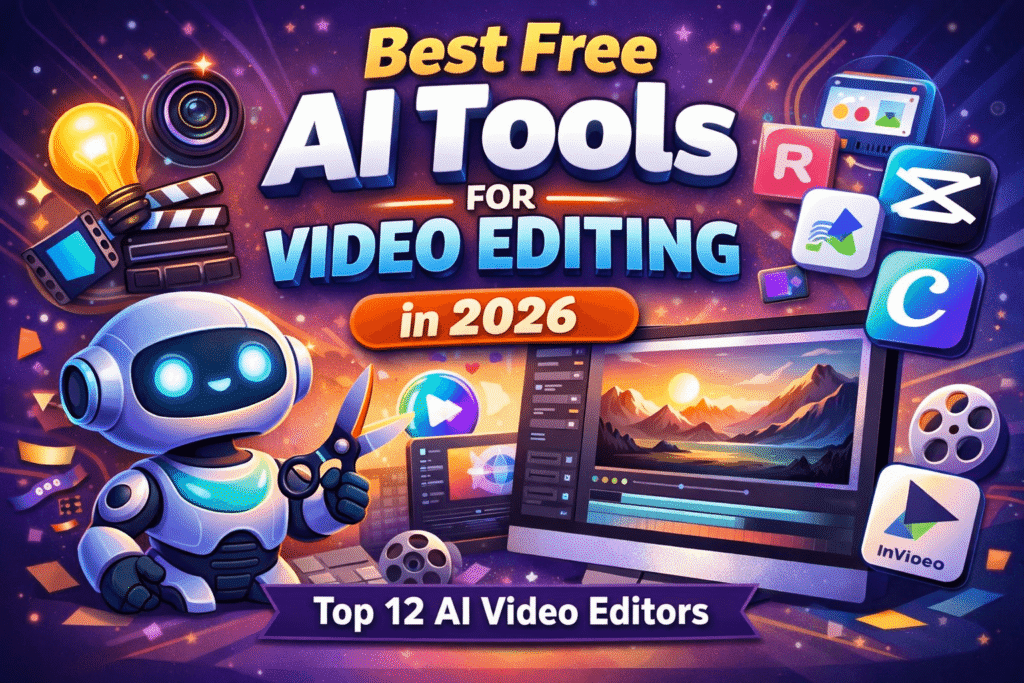
Best Free AI Tools for Video Editing in (Top 12 AI Video Editors)
Introduction
Video content is dominating the internet in 2026. From YouTube and TikTok to Facebook and Instagram, videos are the most engaging form of content today. However, traditional video editing can be time-consuming, expensive, and requires technical skills.
That’s where AI-powered video editing tools come in.
With the help of artificial intelligence, you can now edit videos automatically, generate captions, remove backgrounds, and even create videos from text—all within minutes and often for free.
In this guide, we’ll explore the best AI tools for video editing free, compare their features, and help you choose the right tool for your needs.
Why Use AI Tools for Video Editing?
AI video editing tools are transforming how creators work. Here’s why you should consider using them:
⚡ 1. Faster Editing
AI automates repetitive tasks like cutting clips, adding transitions, and syncing audio.
🎯 2. Beginner-Friendly
No prior editing experience is needed—AI handles most of the work.
💰 3. Cost-Effective
Many tools offer powerful free plans, reducing the need for expensive software.
🎬 4. Smart Features
Auto subtitles, scene detection, voiceovers, and text-to-video capabilities make editing easier than ever.
Best Free AI Tools for Video Editing
Below are the top 12 free AI video editing tools you should try in 2026:
🎬 1. Runway ML
Best for: Advanced AI editing & creators
Runway ML is one of the most powerful AI video editing platforms available today.
Key Features:
- AI video generation
- Background removal
- Motion tracking
- Text-to-video
Pros:
- Cutting-edge AI tools
- Professional-level editing
Cons:
- Learning curve for beginners
🎬 2. CapCut
Best for: Social media creators
CapCut is a highly popular free video editor with powerful AI features.
Key Features:
- Auto captions
- AI effects and filters
- Beat sync
- Mobile & desktop support
Pros:
- Completely free
- Easy to use
Cons:
- Limited advanced controls
🎬 3. Pictory
Best for: Text-to-video creation
Pictory allows you to convert scripts or blog posts into videos.
Key Features:
- Text-to-video
- Auto summarization
- Voiceover generation
Pros:
- Great for content marketers
- Saves time
Cons:
- Limited free usage
🎬 4. Descript
Best for: Editing videos by editing text
Descript is a unique tool that lets you edit videos like a document.
Key Features:
- Text-based editing
- AI voice cloning
- Auto transcription
Pros:
- Very innovative
- Saves editing time
Cons:
- Free plan limitations
🎬 5. VEED.IO
Best for: Browser-based editing
VEED.IO is a simple online editor with strong AI capabilities.
Key Features:
- Auto subtitles
- AI voice generator
- Video trimming
🎬 6. Lumen5
Best for: Marketing videos
Lumen5 turns blog content into engaging videos.
🎬 7. Synthesia
Best for: AI avatar videos
Create videos with AI presenters without using a camera.
🎬 8. InVideo
Best for: Templates & quick editing
🎬 9. FlexClip
Best for: Simple video creation
🎬 10. Animoto
Best for: Slideshow videos
🎬 11. Wisecut
Best for: Automatic video cutting
Key Features:
- Silence removal
- Auto subtitles
- Background music
🎬 12. Magisto
Best for: Automated editing
Comparison Table
| Tool | Best For | Free Plan | AI Features |
|---|---|---|---|
| Runway ML | Advanced editing | Yes | AI video generation |
| CapCut | Social media | Yes | Auto captions |
| Pictory | Text-to-video | Limited | AI script |
| Descript | Text editing | Yes | Transcription |
| VEED.IO | Online editing | Yes | Subtitles |
| Lumen5 | Marketing | Yes | Blog-to-video |
Best AI Tools by Use Case
🎥 Best for YouTube Videos
- Runway ML
- Descript
📱 Best for TikTok & Reels
- CapCut
- InVideo
📊 Best for Marketing Videos
- Lumen5
- Pictory
🤖 Best for AI Avatar Videos
- Synthesia
How to Choose the Right AI Video Editing Tool
Choosing the right tool depends on your needs:
🧠 Skill Level
- Beginners → CapCut, VEED.IO
- Advanced → Runway ML
🎯 Purpose
- Social media → CapCut
- Business → Synthesia
💻 Platform
- Online → VEED.IO
- Desktop → Runway ML
Tips to Get the Best Results with AI Video Tools
- Use clear and detailed prompts
- Combine multiple tools for better output
- Edit AI-generated content manually
- Use high-quality input videos
FAQs
❓ What is the best free AI video editing tool?
CapCut is one of the best free tools for beginners, while Runway ML is ideal for advanced users.
❓ Are AI video editing tools really free?
Yes, many tools offer free plans, but premium features may require payment.
❓ Can AI edit videos automatically?
Yes, AI can cut clips, add subtitles, and even generate full videos automatically.
Conclusion
AI is revolutionizing video editing by making it faster, easier, and more accessible. Whether you’re a content creator, marketer, or freelancer, these free AI tools can help you produce professional-quality videos without spending hours editing.
Start with beginner-friendly tools like CapCut or VEED.IO, and as your skills grow, explore advanced platforms like Runway ML and Descript.
🚀 Final CTA
Want more powerful AI tools and digital marketing strategies?
👉 Visit 10hubs.com to explore expert guides and grow your online business faster!